DUCK ARENA · ONE BIG SCREEN · EVERYONE’S PHONE
Your screen is the stadium.
Their phones are the gamepads.
Open an arena on a TV or projector. Everyone scans the QR code, builds a duck, picks a walking brain (a supplied policy or their own ONNX upload) and plays. Up to 24 ducks play at once, every one the real MicroDuck in one MuJoCo world, walked by trained policies.
No account needed. Phones get a browser guest pass and share only a duck name and look. Arenas stay open for 24 hours. The whole arena runs through this Space; nothing on this page moves a physical robot.
- 1Open the arenaThe big screen runs the live MuJoCo match and shows a QR code.
- 2Scan to joinPhones build a duck and join the line. NPCs fill the empty seats.
- 3Pick a brainAlpha walk, Rough walk, or upload your own ONNX walker.
- 4PlayStick to walk, KICK and QUACK. Lost your duck? Hit FIND ME.
01 / PICK A GAME ON THE BIG SCREEN
Up to 24 ducks live on one pitch.
Duck Party, Ball Frenzy and Pond King seat 24 on a pitch 1.5× bigger: NPCs hold every seat until someone scans in and hold a formation, and the big screen tags only the people. Lost in the crowd? FIND ME on your phone makes your duck power up in a random color for 3 seconds (once every 20 s). Pick Duck Cup for two semi-finals and a final between four NPC clubs, set the NPCs to easy, normal or hard, and watch the JEV coach (TypeSafe’s System One model) call each team’s plan every 12 seconds, with built-in rules whenever it is off. Phones only send a stick, KICK and QUACK. The big screen turns your stick into a walking command from your duck’s live heading and the trained walker does the moving. A trained kick fires when the ball is at your feet, and a stand-up policy recovers falls. When nobody is waiting, everybody plays on. When people join the line, the longest-playing duck hands over its seat with at least 15 seconds’ warning on their phone.
02 / BRING YOUR OWN BRAIN
Upload a policy. Watch it walk your duck.
🦆 Alpha walk
Pollen Robotics’ supplied MicroDuck walker. Every duck starts here.
🪨 Rough walk
A community walker trained on rough ground. Same 61 → 14 interface, a different gait.
📦 Upload ONNX
On the join screen, tap Upload ONNX and choose your export. Switch brains mid-turn from the ⋯ menu.
What fits. A MicroDuck legs walking controller: input obs [1, 61], output actions [1, 14], 50 Hz, unfiltered, with the observation normalizer baked in by scripts/export.py. Up to 4 MB, four uploads per player.
What happens. The file goes to this arena only, stored by its SHA-256. The big screen loads it, checks the interface and runs a finite test step before your duck walks with it. If it fails, your phone says why and your duck keeps walking with Alpha. Only walking changes: kicks, stand-up and fall recovery stay on supplied policies.
Try it now. Download the supplied Alpha walker or the Rough walk export and upload it from your phone as if it were yours.
The browser check proves the interface and a finite output, not gait quality or hardware readiness. Arena matches are unranked browser simulation.
03 / HOSTING
Run the show from one laptop.
Plug in and open
Connect a laptop to the TV or projector, choose Start an arena, pick a game and press Open the arena screen. That window runs the physics, so keep it in front, then press Full screen and Quacks on.
Let the room join
The QR code and six-letter code stay on screen. Phones on Wi-Fi or cellular both work: the code opens this Space’s join page and there is nothing to install.
Keep it moving
Host, top right on the big screen, sets the turn length, pauses the line, restarts the round, removes a player and switches between broadcast and overhead cameras.
04 / EVERYTHING ELSE
The rest of NottyDuck lives on the full site.
Solo playgroundDrive a duck, try policies and upload a walker, right here.Chores ↗Laptop Slam and Sock Sweep against the referee’s clock.Tiny Cup ↗Online 3v3 MicroDuck football with NPCs.Duck Lounge ↗Rooms, Beak Dash races and Twin Beacon co-op.Duck Builder ↗Make the duck you bring to every game.Trainer HQ ↗Compose brains, import private ONNX policies, review evidence.Policy walkthroughObservations, actions, export and the 61 → 14 contract.Source ↗MJLab training, the simulator and this Space.
05 / SOLO PLAYGROUND · NO ARENA NEEDED
Drive a duck on your own, right here.
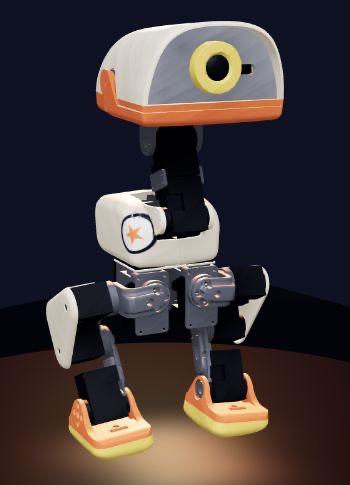
Your duck is waiting.
Start the playground, then start a run inside the scene.
Click inside to use its keyboard and on-screen controls.
Checking verified assets…
ControllerWaiting to start
Model—
Control rate—
Policy interface—
Live readings appear after the simulator starts.
Keyboard control works while the game is focused. Policy buttons make bounded requests through the game’s own controls. If a brain or recovery state refuses a move, the reason appears here. Policy file selection stays inside the scene. Account, multiplayer and training features open the full app.
MORE · THE CHORE BOARD
Pick a chore. Beat the clock.
Every chore runs the real MicroDuck model in browser MuJoCo. A referee reads the simulated physics each control step and stops a simulated clock, so pausing freezes it and a slow device is not penalized. Two chores are playable now and six more are reviewed design records. Each card names the MJLab task it maps to and where that task honestly stands.
Coming soon · design records
Chores use the legs model and the shared policy family: 61 inputs, 14 servo actions, 50 Hz. A browser record is simulated evidence of a human-steered run. It is not a trained policy, an evaluation, owner approval or physical validation.
MORE · DEVICE LEADERBOARD · FAIR PLAY
Your records. Honest runs only.
There is no global server leaderboard. Each playable chore keeps its ten best ranked runs in this browser’s storage. Every row names the brain, a short digest of the walker file and its lifecycle label, so a record always says what was driving.
These make a run unranked
Ranked means unassisted, on a supplied walker or on an imported walker identified by its file digest.
Racing your flock
Friend challenges are share links you make on nottyduck.com. They are self-reported by the sender’s browser and labeled “not verified”.
Live chore races in Duck Lounge are not wired yet. For live multiplayer today, race the server-refereed Beak Dash in Duck Lounge ↗.
Browser storage is per site, so the boards in this Space are separate from your boards on nottyduck.com.
MORE · HOW A RUN BECOMES TRAINING DATA
Your cleanest runs can teach a policy.
After a clean, unassisted run you can opt in to save it as a local human demonstration: a teaching example for MJLab training. Nothing becomes a demonstration unless you choose it, and playing in this Space never starts training or a paid job.
What a demonstration records
- 61 inputs · 14 actionsThe duck’s simulated observations and servo actions, at 50 Hz
- 13 command valuesYour steering: twist (3), head pose (4), body pose (6)
- Moves and handoffsThe named moves and intents you used, and every policy handoff
- Simulated positionWhere the duck was in the scene
- The referee’s outcomeThe measured result of the run
What it never records
Nothing from a camera, a microphone or a physical robot. A demonstration stays in the browser that saved it until you export it.
Storage is per site: a demonstration saved in this Space stays here, separate from nottyduck.com and Trainer HQ.
- 01
Play clean
An unassisted run lands on your device board.
- 02
Opt in
Save that run as a local human demonstration.
- 03
Curate
Build a reviewed dataset in Trainer HQ ↗.
- 04
Train in MJLab
Native PPO on the chore’s task. Sock Sweep’s 3-seed pilot trained but shoves the sock, so it failed its gates and is not promoted. Paid GPU runs only after explicit cost approval.
- 05
Export ONNX
scripts/export.pybakes the observation normalizer into the file. - 06
Import a brain
Equip it in Policies + keys, or in Trainer HQ for your account.
- 07
Beat your record
Same chore, same referee. The board labels the walker you ran.
Hosted GPU training is currently disabled on the live app. Native training and browser rehearsal are available.
Six separate states. Nothing on this page is hardware-ready.
- ConfiguredAn MJLab task is registered. Nothing is trained yet.
- SimulatedIt ran in browser MuJoCo. Every record here is simulated.Your records
- TrainedA policy came out of an MJLab run.
- EvaluatedA measured report passed its gates, with linked evidence.
- Owner-approvedA robot owner opted in to try it.
- Physically validatedMeasured on a real MicroDuck.
Laptop Slam’s MJLab candidate was trained and evaluated, and it failed its gates. No chore policy is owner-approved or physically validated.
YOUR PARTY / YOUR PLAYGROUND
One flock. Four places to play.
These are captures from actual two-player simulations: two independent browsers, two customized ducks and a shared room. Each player drives their own robot. Pick a setting, invite friends and take on its room quest, a Beak Dash race or Twin Beacon co-op.
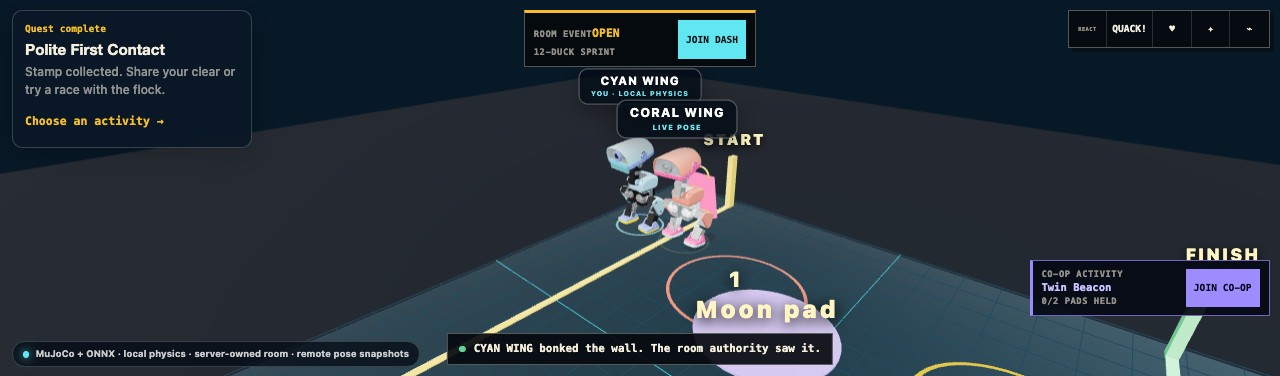
Neon Nest
Meet up, try your action keys and make a little chaos with the flock.
Enter Neon Nest ↗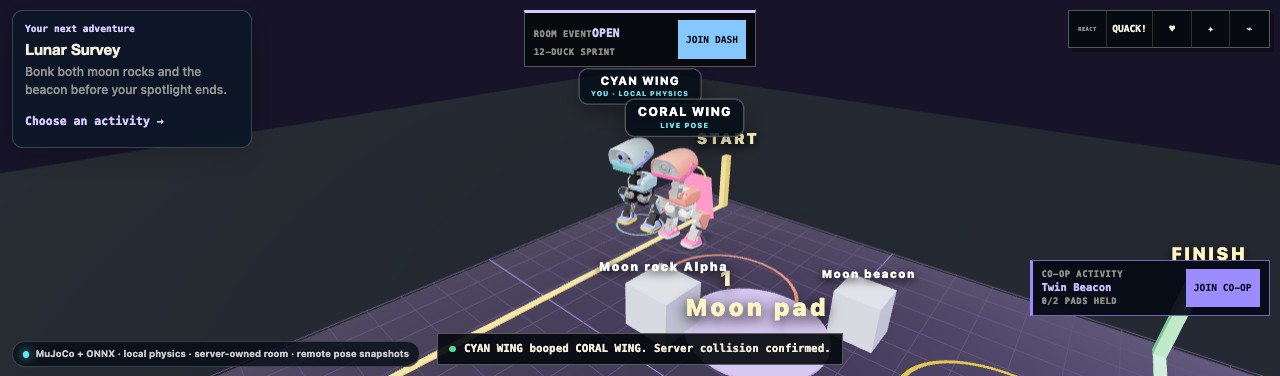
Moon Mess
Thread between the rocks, find the beacon and collect a room quest stamp.
Explore Moon Mess ↗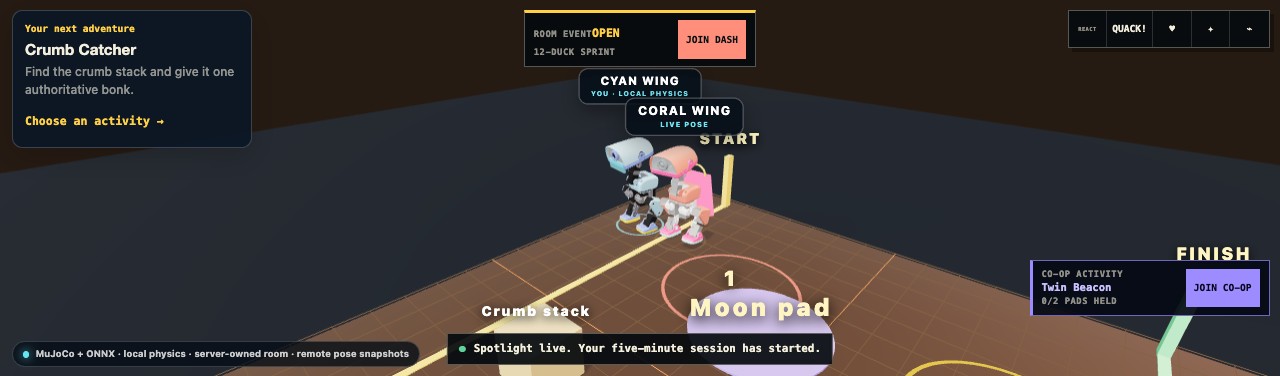
Snack Attack
A snack-sized adventure around towers, crumbs and one suspicious plate.
Visit Snack Attack ↗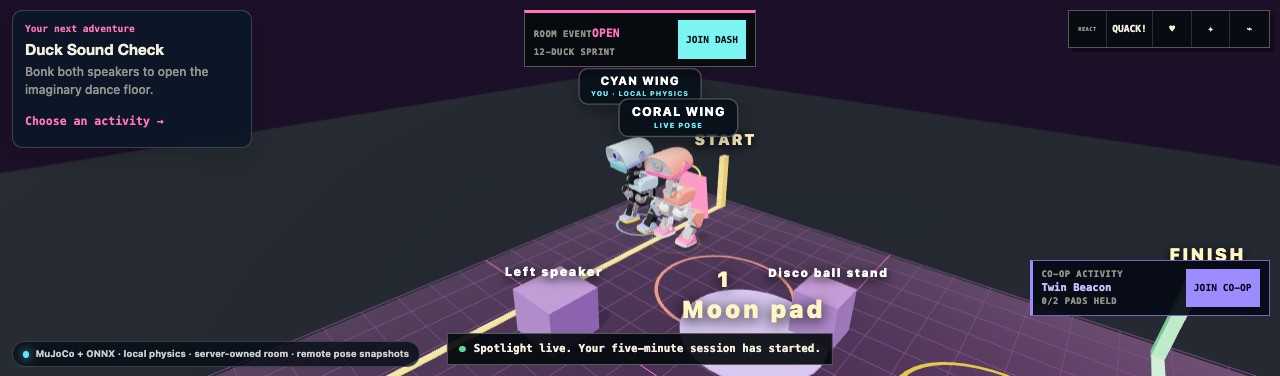
Disco Pond
Take the speaker lanes, celebrate a finish and show off your duck’s look.
Join Disco Pond ↗Recorded local multiplayer simulations with test profiles. Enter a live room in the full app to play with other people.
MORE · MULTIPLAYER · ROOMS · LIVE RACES
Party up. Take on a room quest.
Play as MicroDuck alongside other visitors. Join a Beak Dash heat, hold the Twin Beacon pads with a partner, or explore room quests. Make an unlisted room for your group, choose its layout and share its invite link from the full app.
Find a live room or plan one for your group
Find a room
Four featured rooms. Check availability when you are ready to join.
Room counts are public totals. Entry and profile consent happen on nottyduck.com.
Plan your own room
Choose a layout and activity. Generate a local plan, then create the actual room in Duck Lounge.
View room plan JSON
This is a draft plan. The room and its invite link are created in the full app after you choose Create + enter.
BEAK DASH / LIVE MULTIPLAYER RACE
Get to START. Clear the gates. Beat the flock.
Up to 12 active ducks race in a heat. The room server checks checkpoints, the finish and rankings. Twin Beacon gives two ducks a co-op challenge between heats.
THE TINY CUP / LIVE 3V3 MICRODUCK FOOTBALL
Watch the match. Take a bot’s place.
Six real MicroDuck models play physical football on nottyduck.com. NPCs fill every open spot; pick a team to take one over, or make a match link for friends. The Physics Garden is a shared workbench with movable objects, a hinged laptop and light and heavy pendulums. One player’s browser runs the MuJoCo physics for each match; matches are unranked simulation play, not training evidence. Live matches use WebSockets, so they open on the full site.
CHARACTER BUILDER / MAKE IT YOURS
A duck only you would build.
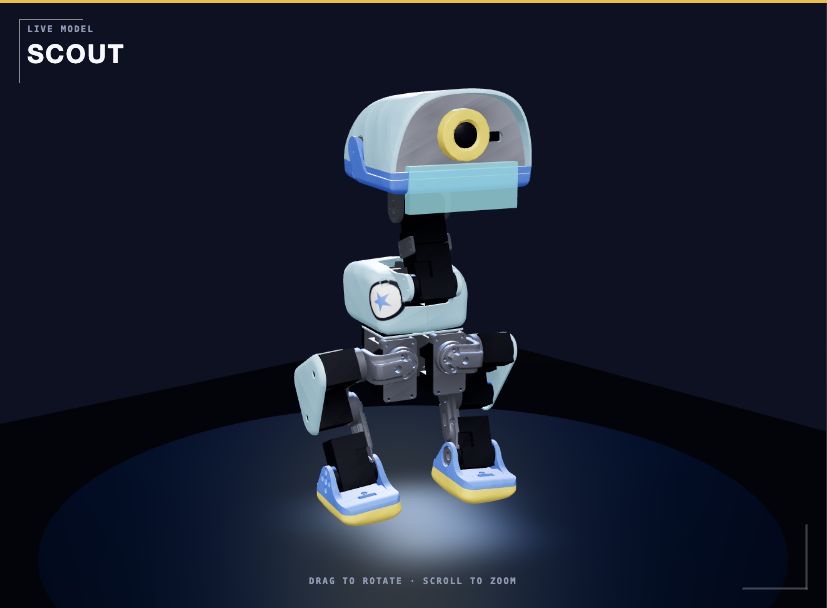
Real Duck Builder previews. Example looks; create your own in the full app.
Color it. Dress it. Give it a voice.
Choose a name, shell color and accent. Add a visor, cape, wizard hat or quackphones. Place body stickers and pick a voice, then bring your look into a multiplayer room.
- 6 shell colorsCream, graphite, lavender, sky, matcha and coral
- 31 gear choicesHats, face gear, body pieces and extras
- Stickers + 4 voicesA look and a quack that feel like yours
Gear changes your look. Your walking brain and action loadout change how you control the duck.
Make my NottyDuck ↗POLICIES ARE YOUR SKILLS / KEYS ARE YOUR ACTION BAR
Build your play style.
Pick a starter loadout in Policies + keys, or build your own. A walking brain goes in one slot; supplied kicks, rolls, sitting and quacks go in the others. Equip keys, then start a run. Click an empty slot to add a move, right-click to swap it, drag to rearrange, and flip between three loadout pages. Swap the walking slot for your own compatible ONNX whenever you want.
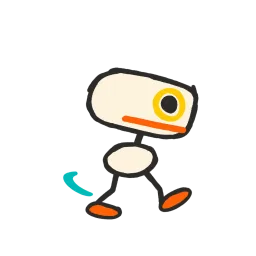 Walk
Walk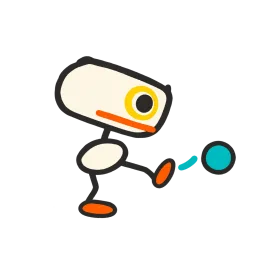 Kick
Kick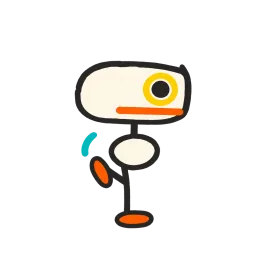 Balance
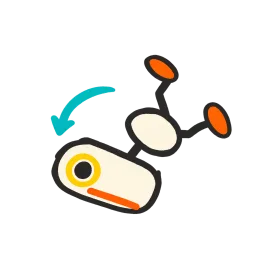 Roll
Roll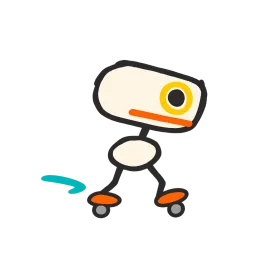 Glide
Glide Your policyEXPLORE / FIND YOUR WAY
Scout
Trail walking, ground pick and a signal for your flock.
- 1 Trail brain
- 2 Ground pick
- 3 Sit / stand
- 4 Quack
- 5 Walk again
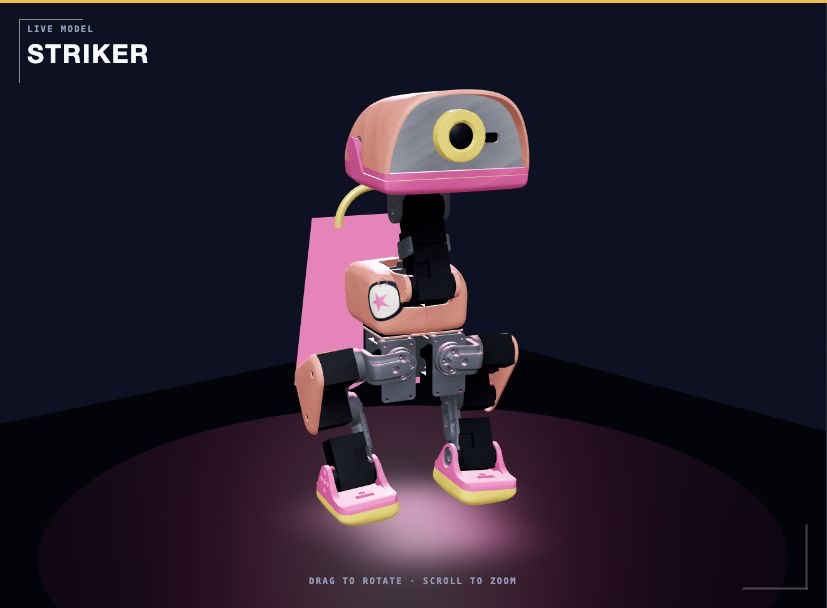 LINE UP / PICK YOUR FOOT
Striker
Build around balloon football and your next well-timed kick.
- 1 Striker brain
- 2 Kick left
- 3 Kick right
- 4 Quack
- 5 Walk again
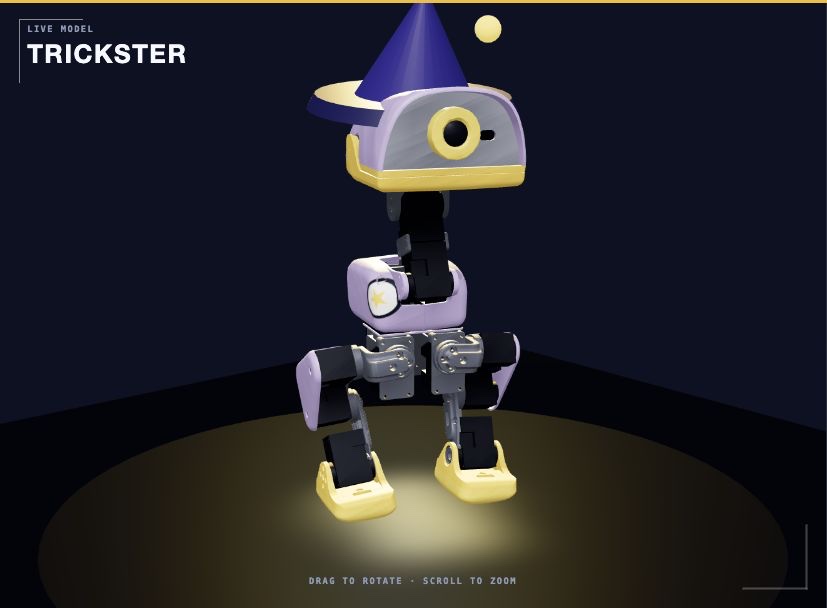 ROLL / RECOVER / CELEBRATE
Trickster
A forward roll, a seated breather and a quack for the crowd.
- 1 Factory brain
- 2 Forward roll
- 3 Sit / stand
- 4 Quack
- 5 Walk again
Starter sets update keys 1–5 and keep 6–9. Freely reassign every slot. Matching models and the room’s move rules still apply. Uploaded networks replace walking; skill slots use the supplied controllers.
01 Create your duck02 Equip a brain + action keys03 Adventure with your flock
YOUR POLICY / YOUR DUCK
Add a policy. Give it a key. Go play.
Bring a compatible MicroDuck ONNX walking export and try it in the real browser simulator. You choose where to go; your network turns the robot’s observations and your movement commands into its walking motion.
Choose your ONNX file
Use a supplied policy straight away, or open Add your own walking policy in the terminal to choose an ONNX file. Give it a name, version and training source and confirm embedded observation normalization.
Build your shortcut loadout
Choose Validate + equip, then find your new brain under My policies in the move deck. Select its card and tap any key from 1–9. Give other keys to supplied kicks, sitting, balance or rolls. Your compact hotbar shows the assignments.
You steer. Your policy walks.
Close the terminal, choose Start run and focus the scene. Press your brain’s assigned key to equip it. For an aimed move, press its key and click the ground or ball; tap the key twice to do it where the duck stands. WASD / arrows steer and cancel an order; your walking policy handles the motion. Race a chore, dodge pendulums, play balloon football or ride outdoor ramps, or enter a multiplayer room in the full app.
Multiplayer with your loadout. Import and bind the policy in the full app, then join a room. Your walking brain drives your duck; assigned room skills use the same room rules as the normal move buttons. The room checks collisions, checkpoints and rankings. Solo balance and roller moves stay in their matching playgrounds.
Keep it private. This Space saves your policy in this browser’s library for this site. It is not uploaded to the public Space repository or Bucket. Reloading can restore it; clearing site data removes it. Your library on nottyduck.com is separate.
Switch back anytime. Reopen Policies + keys and choose Equip the factory walker. For account storage, brain composition and use in Duck Lounge, import the same file in Trainer HQ ↗.
Which policies can I upload?
A MicroDuck legs walking controller with one float32 input obs [1, 61] and one output actions [1, 14], trained for the shared 50 Hz, unfiltered runtime. The file limit is 16 MiB, with a 12-second initialization budget and a 50 ms warm inference check. External observation normalization must be baked into the ONNX export.
The observation has 48 proprioception values plus the 13 command values: twist (3), head pose (4), body pose (6), in that order. Export through the repository’s normalizer-aware export workflow. Matching dimensions alone do not make a roller, kick or other task policy a compatible walker. This importer replaces walking; it does not assign a custom network to every skill.
Upload validation checks compatibility and finite test output. Try an actual rollout to assess behavior. It does not train, evaluate task success or approve a policy for physical hardware.
Follow the export-to-upload walkthrough ↗Pick a world. Test your keys.
Open-air terrain, real ramps and a giant balloon to chase. Start with supplied policies or try your saved walking brain in the legs arena.
Swing Yard
Time your steps around three real pendulums. Wait for a gap or take the wide route.
Plaza Line
Ride the ramps and pass the skate plaza gates in order.
Hill Rush
Climb the summit, take the descent and chase the finish.
Balloon Ball
Push the whole balloon over the goal line before full time.
Duck Cup scores come from the game’s referee. Dragging the robot, route autopilot or agent driving makes a result unranked. A workbench practice note is separate from the event score.
MORE · INSPECT WHAT YOU ARE RUNNING
Eleven policies. Pick your moves.
These networks turn robot observations into motor actions. They have no camera input. Object alignment and decisions about what to try come from you and the simulator’s task logic.
Open Policies + keys to explore the Community hub: pinned MicroDuck policies published on Hugging Face, with clear labels for ready moves and those that need a different setup. Add a ready move and give it a key, or build a combo that chains 2–6 moves on one shortcut. Compatible object-push exports become private skills on this device; walking exports become brains.
Collect moves. Make them yours.
Pick a card in the move deck, tap a key from 1–9, then close the panel and play. Your imported walker gets its own card too.
The Bucket supplies the running robot.
ONNX controllers, robot meshes, physics models and kinematics come from our public HF Storage Bucket. The Space checks each file’s size and SHA-256 before serving it.
MORE · TAKE THE NEXT STEP
Try a policy. Understand it. Build on it.
Inspect a real network
Download a supplied policy, verify its checksum and inspect its ONNX interface. The walkthrough explains observations, commands and control timing.
Open the policy walkthrough ↗Download the inspection script ↓Make your own playground
Use World Builder for a new setting. Upload a walking policy here for local practice. Trainer HQ lets you store it privately in your account, compose a brain and review demonstrations.
World Builder ↗Trainer HQ ↗Train and evaluate
Follow the native MJLab/PPO workflow, rehearse the export in simulation and record evaluation evidence before promoting a candidate.
Native training source ↗Training Forge ↗Browser practice, training, evaluation and physical validation are separate steps. This Space demonstrates simulation and carries each policy’s evidence; it does not establish hardware readiness.